Post a pic of your set up. And how do you keep it powered continuously? Does come on automatically when you start your car? Or do you have to turn it on and off each time?
I have a new Garmin Nuvicam gps that comes with a dashcam and it records each time I crank the car and is always recording.
I picked it based on this guys in-car camera reviews...he covered A LOT of cams. I watched all his car camera reviews and decided that this cam will work best for my uses. I have no complaints so far. https://www.youtube.com/watch?v=qSstbIvSZJ0
Post a pic of your set up. And how do you keep it powered continuously? Does come on automatically when you start your car? Or do you have to turn it on and off each time?
I have a new Garmin Nuvicam gps that comes with a dashcam and it records each time I crank the car and is always recording.
I'll post a picture tomorrow but basically it just sits on my dashboard with the sticky adhesive mount. I power it with the USB cable connected to my cig lighter. The camera also has its battery in it.
When I get in my car I power the camera on and then hit record. The camera is running on the battery and also being recharged by the USB cable. If I stop the car and turn the car off I have the option of either leaving the camera on to run on its own battery or turning the camera off. The battery on the camera will run for about 3 hours. During the day I usually just let the camera run when I leave the car and then when I start the car back up the USB cable immediately starts recharging the battery.
I find this set up works better than most dedicated dash set ups because I can record with the camera for 3 hours even when I am not in the car or the car is running.
I use a 64gb card and I can record about 12 hours worth of video on the 720/30fps setting. I highly recommend to people that they do NOT use the loop record functions on dashcams.
I usually delete my footage when I get down to 2 hours.
I'm using a Pilot dash cam from Walmart. For the price, it's actually really nice. I have it mounted suction cupped to my windshield. It's powered by a usb cable that has a cigarette lighter end. I leave it plugged into my cigarette lighter. When I start my Jeep it powers up my cam at the same time. It has a shock sensor that stores the previous video incase you were in a crash. It also had night vision which works ok but with all my lighting it works great. So funny story. I recently got pulled over by a state cop who said I was speeding. I informed him he "clocked" the right car but pulled over the wrong person. He then tells me how I shouldn't tell him how to do his job. I said ok but you clocked the black Mazda that passed me probably doing 65 in a 55. He said no I clocked you doing 68 in the 55. I said well that's funny because I have this dash cam that will show you something way different! His radio goes off and he says well this is your lucky day. I have to respond to a shots fired call. Let's make sure you watch the posted signs. I'm calling BS on the radio call for shots fired and he knew he was wrong and got caught!
I use my dashcam for protection. I use it to document the truth. The best way to do that is to have the longest and most complete video of your actions prior to any disputed event.
Lets say you are pulled over and accused of a crime that happened 2-3 hours ago. If your dash cam is set up to record in loop every 5-40 minutes then how will your prove where you were or what you were doing 3 hours ago ? I wont list all scenarios but if you are in loop function there is a good chance you will record over video that is important. In todays market where we have 64 and 128 gb cards everyone should record as long as possible.
When in loop it starts a new recording every 10 minutes or for how ever long you have it set to record. Once the 10 minutes are up it starts a new recording. When the card is full it will delete the oldest recording and keep going on like that. If you want to save video you need to remove the card and transfer the files you want to a computer or another memory card. Also the higher resolution you have the settings at will determine how much your memory card will hold. 1080p will use the most, but you should be able to choose resolution to save memory. Audio also takes up memory and can be turned off.
I do have one mounted...a Kodak video cam. ITs mounted on a rugged ridge dash mount. I really never used it yet....but I will this year. I am going to figure out how to get power to it full time.
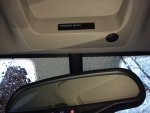
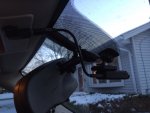
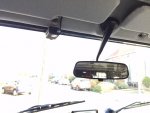
I use a Mobius action camera with a 32GB memory stick. It gives me about 4 hours worth video.
I installed the USB plug in the overhead console. It powers up with the ignition.
The Mobius comes with rechargeable battery pack, but I replaced that with optional super caps. With these it runs cooler. There's enough juice to write the video to disk when I turn off the key. It will hold the date/time for about a week so I can't let it sit too long or I have to reset it.
The mount comes from Scosche. It sticks to the glass with 3M tape, and holds the Mobius camera magnetically. Very easy to unplug and remove.
I wanted minimum wires and minimum footprint and inexpensive.
I have a Mobius Dashcam installed under the sun visor, hard wired with ignition on, so it comes on automaticcaly. It has a 32 Gb memory card, which is good for recording approx four and a half hours of video. It is set to loop recording, and records in secttions of 5 min. When the card is full it will overwrite the oldest sections. You can save a 5 min section by pressing a button so it is marked read-only so you can transfer it later to your computer (e.g. in case of evidence footage). Video quality is outstanding, and price tag is really cheap for it quality.
This site uses cookies to help personalise content, tailor your experience and to keep you logged in if you register.
By continuing to use this site, you are consenting to our use of cookies.