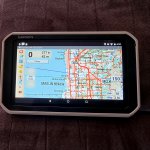
Have a couple more questions for you Overlander users:
1) Apart of exploring off the beaten path, I find it useful to pan out and around my current position to scope out other trails/features, etc. Is this just a matter of pinching the screen on the Overlander or is it a multi-press affair?
2) Its nice to be able to drop a pin-icon (camp site, etc) waypoint and/or a short note on a particular waypoint: Is this quick and easy to do with the Overlander or does it involve multiple presses/menus?
I'm still using a 12+ YO Lowrance Baja540c and for all its clunkiness, I find a couple features described above useful to me on a regular basis, along with a visible track of where I've been (without having to deal with finding same via menus, etc). That and having multi-state topos installed without the typical (of software apps) excruciating (IMHO) and time/bandwidth intensive process of downloading areas when its least convenient, to be valuable to me.
And being able to pan around current view without stopping the vehicle. Every touch screen device I've used makes this a bit of a PITA. Yeah, I know...