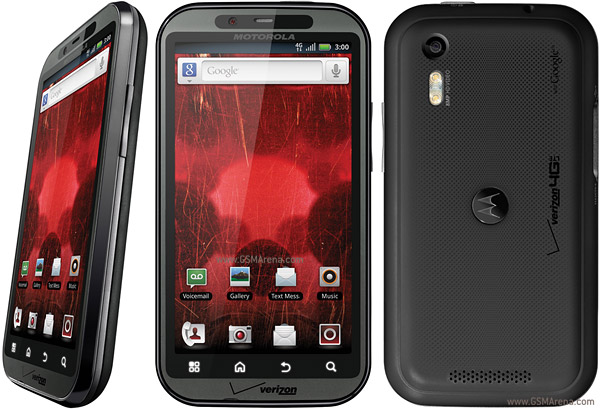
If you want to transfer files from your new Bionic to your PC, you must use the supplied USB cable that came in the box.
I knows this sounds ludicrous, but the cable must have a chip in it.
My new Droid Bionic I picked up a week ago Friday is not recognized by my PC at home, it only charges the phone, and I left my Bionic cable at work.
However at work using XP Pro I am using an old cable and it works for some reason.
Here at home it is a no go, so I will not be able to transfer files until I get my cable back from work.
Searched on Google, and here it is.
http://androidforums.com/motorola-droid-bionic/411687-usb-device-not-recognized.html

I can do that too, I can upload files to the cloud, but I prefer a good old fashioned cable and drag and drop the files to my desktop on my PC.This is funny, not because of the pain for you, but I'm sitting here watching the Seahawks and the new Droid commercial is all about how you don't need any wires to 'instantly transfer from your computer to your phone over 4G LTE' or something like that...that must be a good thing if it requires a special chip in the wire to transfer files!
As a note, I use Dropbox to transfer files between my computer and my phone...it goes pretty fast and works pretty easy once I get it set up on my phone.
If you want to transfer files from your new Bionic to your PC, you must use the supplied USB cable that came in the box.
I knows this sounds ludicrous, but the cable must have a chip in it.
My new Droid Bionic I picked up a week ago Friday is not recognized by my PC at home, it only charges the phone, and I left my Bionic cable at work.
However at work using XP Pro I am using an old cable and it works for some reason.
Here at home it is a no go, so I will not be able to transfer files until I get my cable back from work.
Searched on Google, and here it is.
http://androidforums.com/motorola-droid-bionic/411687-usb-device-not-recognized.html
I know many are having the same issue as I was.Oddly, this does not seem to be an issue with my Bionic. Granted, I've only tried to transfer music, but any computer I've hooked it to, with any USB cable it's connected and created a folder.